Every service on your car in one place.
And proof ready for when you sell.
Snap a photo of the receipt and we log the date, cost, mileage and service type. You get the full history, automatic reminders and, when it is time to sell, a link and an image ready for your listing.
Free for 1 vehicle, no credit card required
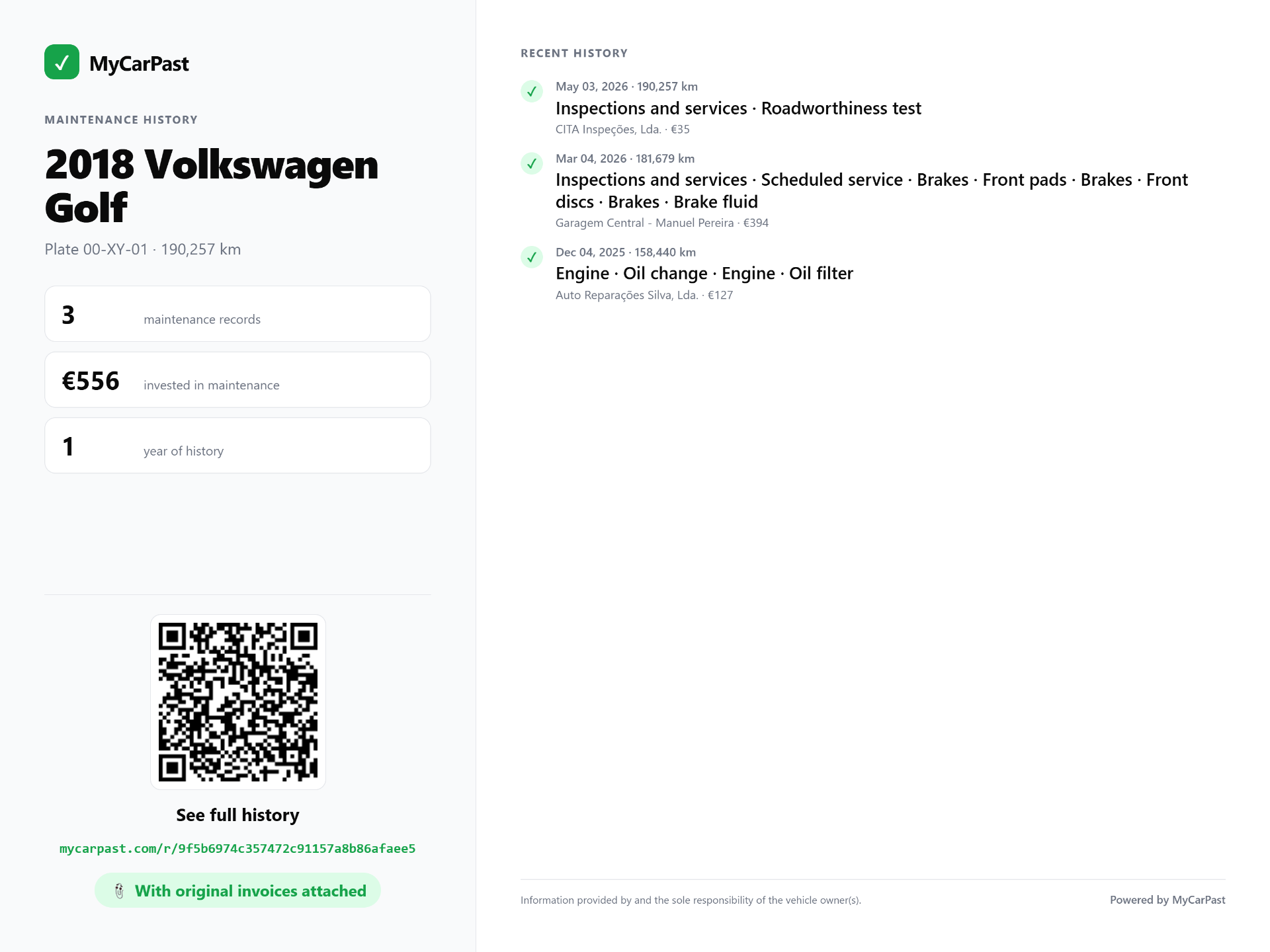
Image and link available in multiple languages: the buyer sees everything in their own language.
People who log everything sell better: cars with documented maintenance sell faster, and for up to 15% more.
Every record you keep day to day becomes proof when you sell. The buyer scans a QR code or opens a link and sees every oil change, belt, brake job and service, with the receipt attached. No paperwork, no doubt, no haggling.
Why use MyCarPast
A digital logbook that works for you every day, and even harder the day you sell.
No more paperwork in the glovebox
Photograph every service or parts receipt. Everything stays stored, organised and available on your phone or computer, with no folders of paper.
Always know what has been done
Last oil change, timing belt, brake pads, with date and mileage. You never pay twice for the same job or forget what is still due.
Automatic reminders
MyCarPast tells you when the next service, oil change or belt is coming up, by mileage or by time.
Worth more when you sell
A documented history defends your price. Generate a public page and an image for your listing, and hand the logbook to the buyer in one click.
How it works in 3 steps
1. Add the vehicle and photograph the receipts
Add the vehicle in 30 seconds. Photograph each service or parts receipt and the system reads the date, cost, mileage and service type automatically.
2. Keep the history organised
Every job is sorted by date and mileage, with the receipt attached. Check it in seconds and get reminders for what comes next.
3. When you sell, share the proof
Generate a public page and a high resolution image with the history. Paste the image into your listing photos and the link into the description, on any classifieds site, marketplace or WhatsApp.
Bonus: hand it over to the new owner
When you sell, transfer the full history to the buyer in one click. They keep the logbook in their own garage.
With a digital logbook vs without one
Receipts lost in the glovebox, services forgotten, jobs paid for twice. When you sell, nobody trusts the mileage and buyers try to knock hundreds off the price.
Every job logged with its receipt, reminders for what comes next and, when you sell, a link and an image that show it all. The buyer trusts you and pays your asking price.
Do you own a workshop or dealership?
Log maintenance once and send the link to your customer by email. No PDFs, no screenshots, and no app for them to install.
- Email with your logo or banner and contacts
- A link that updates automatically with every service
- The customer doesn't need to install anything or create an account
Frequently Asked Questions
Everything you need to know before you start.
Logging is half of it. Showing is the other half.
When it is time to sell, all the history you built turns into a public page and an image ready for your listing, and moves to the new owner in one click.